Lexica
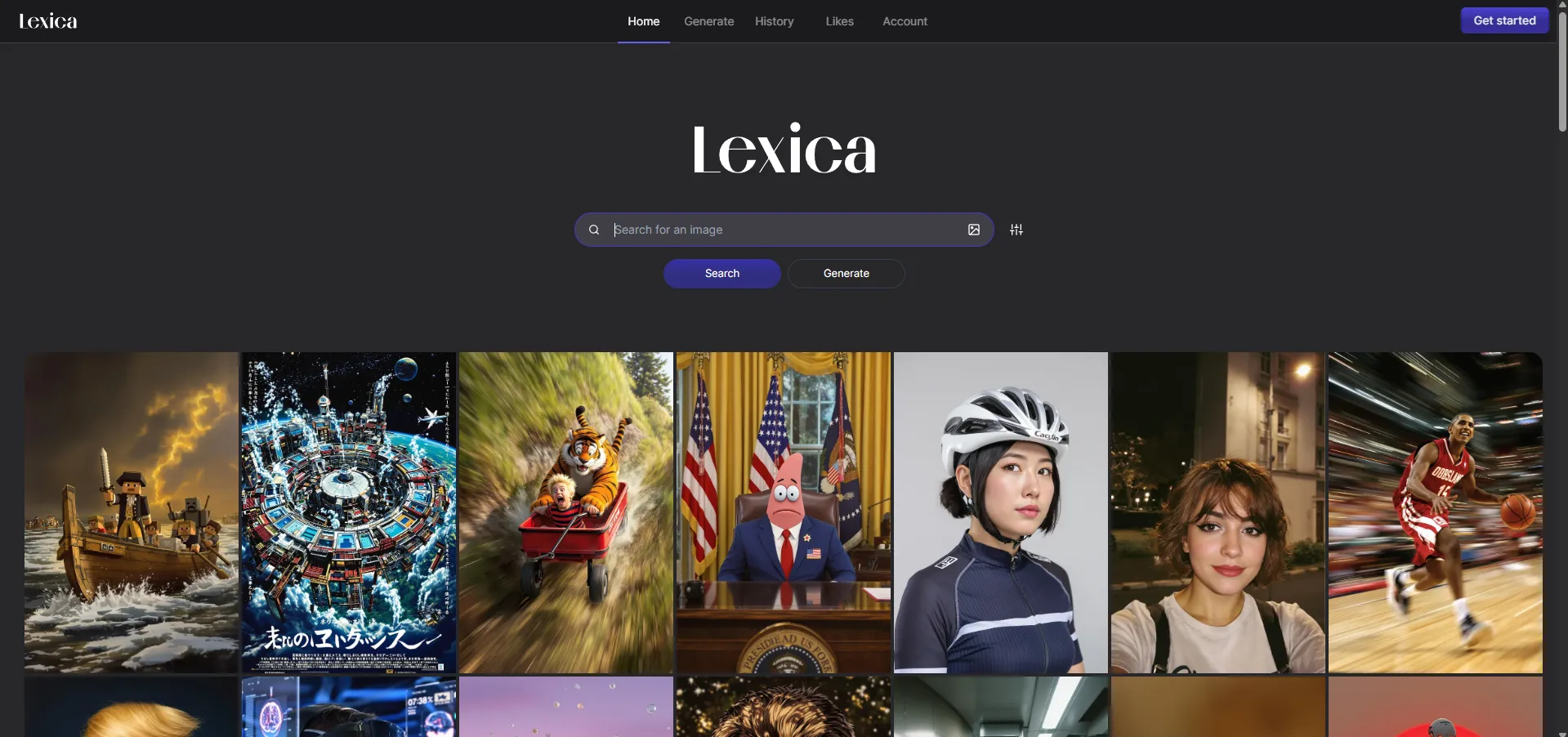
VisitLexica is a high-performance search engine and gallery for AI-generated images, primarily powered by the Stable Diffusion model and its proprietary Lexica Aperture engine.
What is Lexica?
Lexica is an AI-powered platform that serves as both a search engine and an image generator. It was originally created to make Stable Diffusion prompting more accessible. Think of it as the "Google" for AI art—you can find almost any visual style by searching keywords, and it will show you the exact text prompts used to create those images.
Core Features
- AI Art Search Engine: Access a database of over 10 million indexed images. You can search by text or perform a reverse image search by uploading an existing photo.
- Lexica Aperture: A proprietary AI model that generates high-quality, photorealistic, and stylistically rich images from text prompts.
- Prompt Transparency: Every image in the gallery displays its full generation details, including the text prompt, seed number, and model parameters.
- Personal Gallery: Logged-in users can "Like" images to save them to their account or track their own generation history.
- Outpainting (Uncrop): A feature that allows you to expand an image beyond its original borders by generating new pixels.
Use Cases
- Concept Art & Design: Artists use it to rapidly prototype character designs, landscapes, and mood boards.
- Content Creation: Bloggers and social media managers generate unique illustrations for posts, thumbnails, and banners.
- Learning Prompt Engineering: Beginners can study successful prompts from the community to learn how specific keywords affect lighting, style, and composition.
- Marketing & Branding: Small businesses create professional-looking visuals for ads and products without needing expensive design software.
FAQ (Frequently Asked Questions)
- Is Lexica free to use? Yes, Lexica offers a free tier that allows for a limited number of image generations per month. Searching and browsing the gallery is generally unlimited.
- Can I use the images commercially? Images created with the Stable Diffusion 1.5 model are typically CC0 (public domain). However, for images generated with the Lexica Aperture model, you usually need a paid subscription (Starter, Pro, or Max plans) to obtain commercial usage rights.
- Does it work on mobile? Yes, the website is fully mobile-optimized, allowing you to generate and search for art on any smartphone browser.
- How do I get better results?
The community recommends using a specific structure for prompts:
[Subject] + [Environment] + [Style/Lighting] + [Color Tone].