magnific.ai
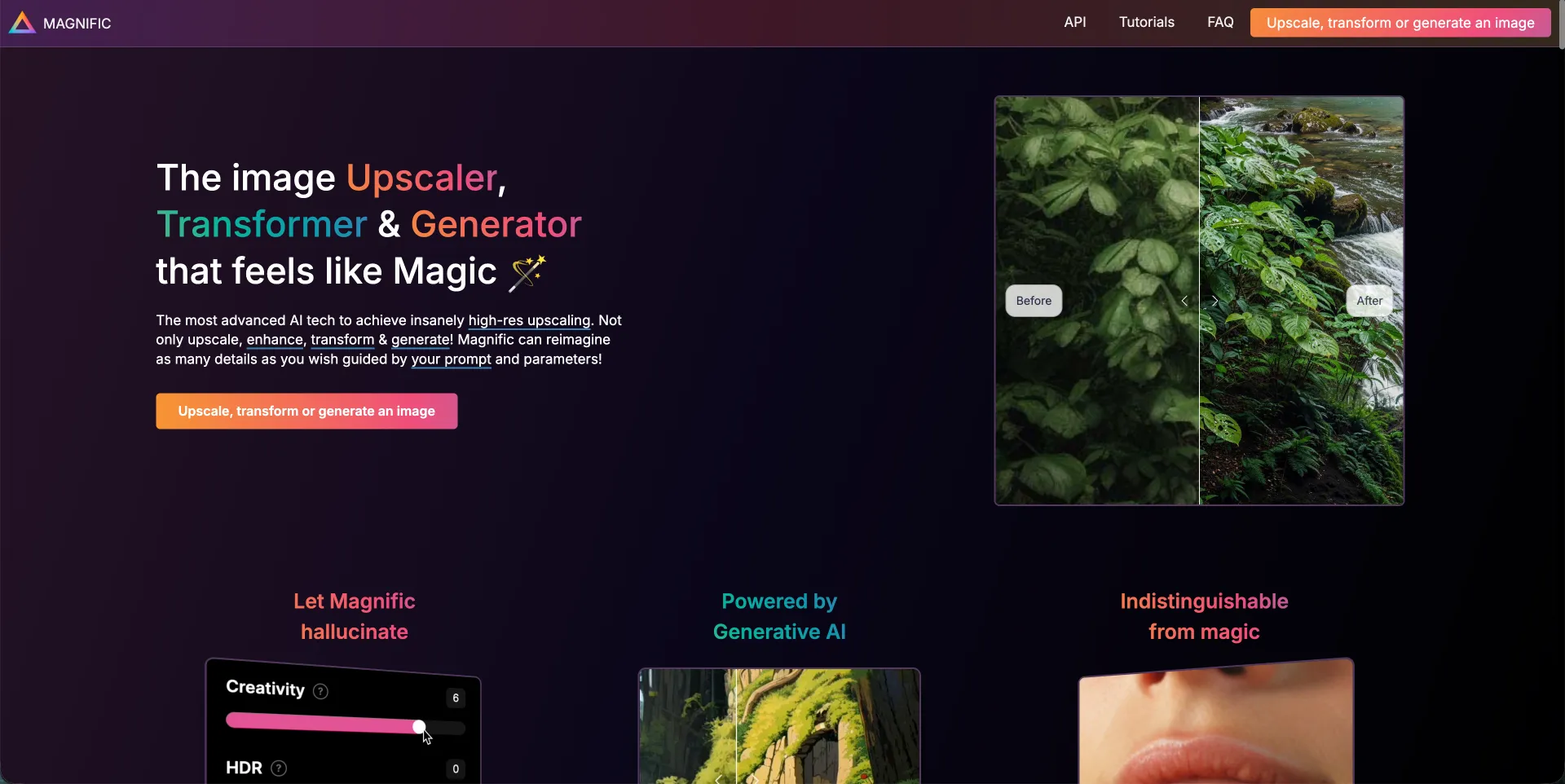
VisitMagnific AI is an AI-powered image upscaler, enhancer, transformer, and generator designed to increase image resolution and add new details using generative AI. Users can guide the enhancement process
What is Magnific AI?
Magnific AI is an advanced AI image tool focused on high-resolution upscaling and detail enhancement. Instead of only sharpening existing pixels, it uses generative AI to intelligently “reimagine” details, producing higher-quality images that can feel as if they were originally created in high resolution.
The platform allows users to:
- Upscale low-resolution images
- Enhance image clarity and detail
- Transform or creatively reinterpret images
- Generate additional visual details guided by prompts and controls
Key Features
AI Upscaling & Enhancement
- Converts low-resolution images into high-resolution outputs
- Adds realistic details rather than simple pixel enlargement
Prompt-Guided Generation
-
Users can guide results using natural language descriptions
-
Control parameters such as:
- Creativity (controls level of new details / hallucinations)
- HDR
- Resemblance (how closely output follows the original)
Generative AI Technology
- Uses AI to create believable textures and structures
- Balances detail enhancement with image fidelity
Supports Multiple Content Types
- Portraits
- Illustrations
- Game assets
- Landscapes
- Architecture & interior design
- Food photography
- Film and photography frames
- Fantasy & sci-fi artwork
Creator-Friendly Experience
- Beginner-friendly interface
- Tutorials and community resources
- Web-based workflow
Main Use Cases
Digital Artists & Illustrators
Improve detail and resolution for print-quality artwork or portfolios.
Photographers & Retouchers
Enhance photos, recover details, and prepare high-resolution versions.
Game Designers & Graphic Designers
Upscale assets, concept art, or textures while preserving visual style.
AI Image Creators
Improve Midjourney / AI-generated images with more depth and realism.
Businesses & Marketing Teams
Create sharper visuals for advertising, branding, or commercial media.
Creative Professionals
Improve renders, cinematic frames, and design mockups.
FAQ (Summary)
How does Magnific AI work?
It transforms images into higher-resolution versions using AI, allowing users to control enhancement through prompts and sliders like Creativity.
Is it beginner-friendly?
Yes. The platform is designed for creators of all skill levels with an intuitive interface and tutorials.
Who is it for?
Photographers, designers, digital artists, AI creators, businesses, and anyone needing detailed high-resolution visuals.
Does it introduce artifacts?
Sometimes. These can often be reduced by adjusting settings such as Creativity, HDR, and Resemblance.
Pricing
Pricing depends on the plan shown on the official pricing page. Annual plans may include discounts.
Is payment secure?
Yes. Payments are handled by Stripe; the platform does not store card details.
Refund policy
Refunds are generally not offered due to high GPU processing costs.
How do I cancel?
Users can cancel anytime via the billing portal.