Cursor
VisitCursor is the AI-native code editor that helps you write code faster. Built as a fork of VS Code, it integrates advanced AI models directly into your development workflow.
What is Cursor?
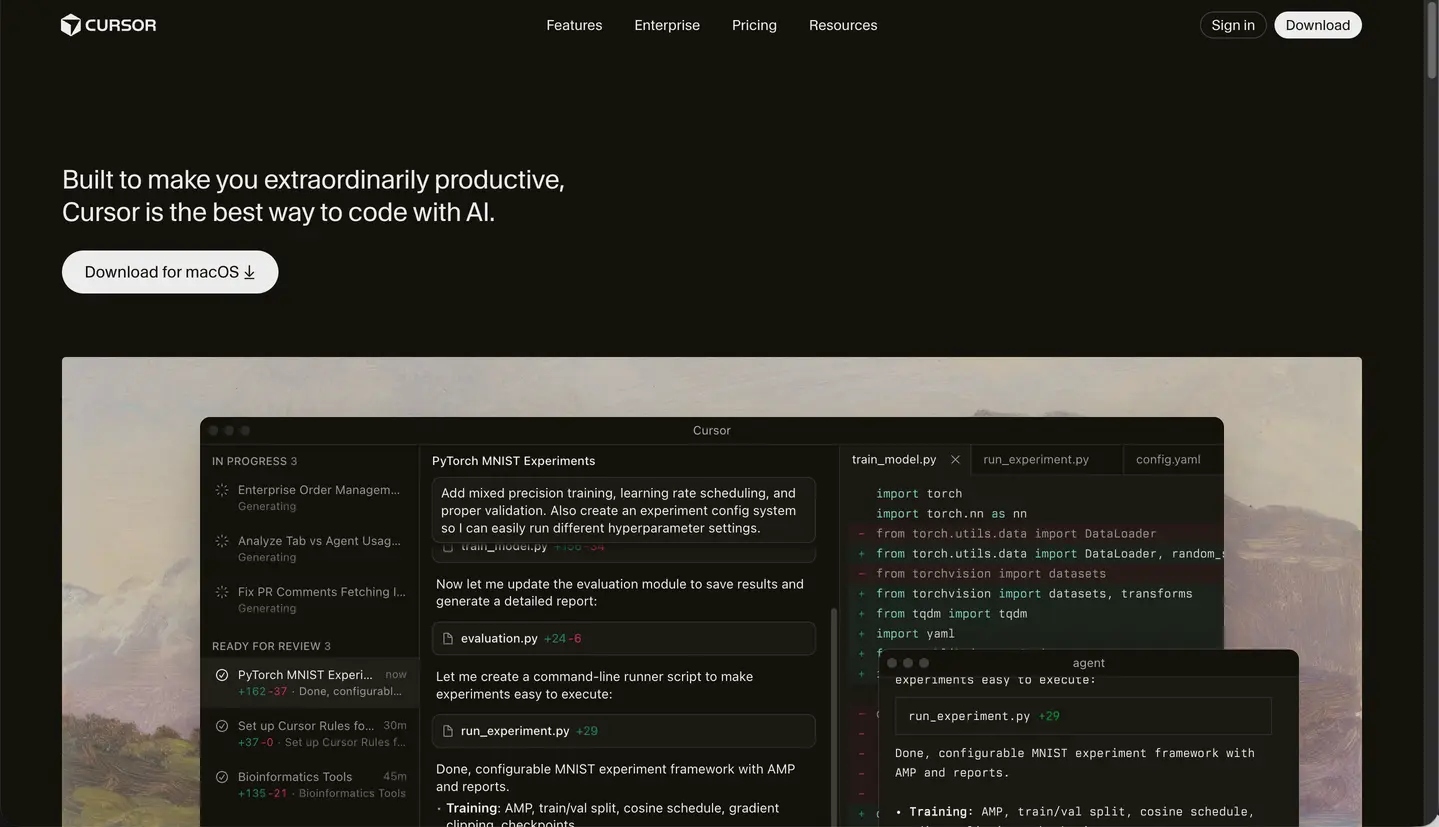
Cursor is an AI-powered integrated development environment (IDE) built on top of Visual Studio Code. It's designed to be the definitive tool for AI-native software development, offering deep integration with large language models like GPT-4 and Claude. By understanding your entire codebase, Cursor acts as a highly intelligent pair programmer that can write, refactor, and debug code with minimal input.
Core Features
- Codebase-Aware Chat: Ask questions about your entire project using natural language. Cursor indexes your files to provide contextually accurate answers and suggestions.
- AI-Powered Code Completion: Experience multi-line, intelligent autocompletion that predicts your next moves and suggests complex logic based on your coding patterns.
- Smart Rewriting (Cmd+K): Select segments of code and give natural language instructions to refactor, optimize, or add new functionality instantly.
- Cursor Agents: Highly autonomous assistants that can run terminal commands, create files, and conduct semantic searches to solve complex engineering tasks.
- VS Code Compatibility: Since it's a fork of VS Code, you can keep all your favorite extensions, themes, and keybindings while enjoying native AI features.
- Privacy Mode: Built for security-conscious developers, Cursor offers a privacy mode to ensure your proprietary code stays on your machine.
Use Cases
- Accelerated Feature Development: Quickly scaffold new components, API endpoints, or database schemas using AI generation.
- Refactoring Legacy Code: Use AI to modernize old codebases, improve readability, and implement best practices without manual drudgery.
- Rapid Onboarding: New team members can use the codebase chat to understand complex architectures and find where specific features are implemented.
- Automated Testing: Generate unit and integration tests automatically to ensure code quality and prevent regressions.
- Real-time Debugging: Paste error messages or stack traces into Cursor to get immediate explanations and potential fixes.
FAQ
Is Cursor free to use?
Cursor offers a free 'Hobby' plan with limited AI completions. For professional use, the 'Pro' and 'Business' tiers provide unlimited completions and access to premium models like Claude 3.5 Sonnet.
Can I use my VS Code extensions?
Absolutely. Almost all VS Code extensions are compatible with Cursor, and you can even import your settings during the initial setup.
Which models power Cursor?
Cursor allows you to switch between several top-tier models, including GPT-4, GPT-4o, and Claude 3.5 Sonnet, depending on your preference and subscription.
How does it differ from GitHub Copilot?
While Copilot is an extension for existing IDEs, Cursor is a standalone editor with deeper, native integration of AI features that can modify multiple files and understand your project structure better.