JPG to SVG
VisitCrop, resize and trace JPG, PNG and WebP into SVG paths locally in your browser. Free image tools with no signup, plus independent creative software guides.
A focused image-to-vector workflow
JPG to SVG helps designers, developers and makers prepare existing artwork and turn it into downloadable SVG paths. Choose a JPG, PNG or still WebP image, crop the part you need, and set the output dimensions before tracing.
Prepare, inspect and export
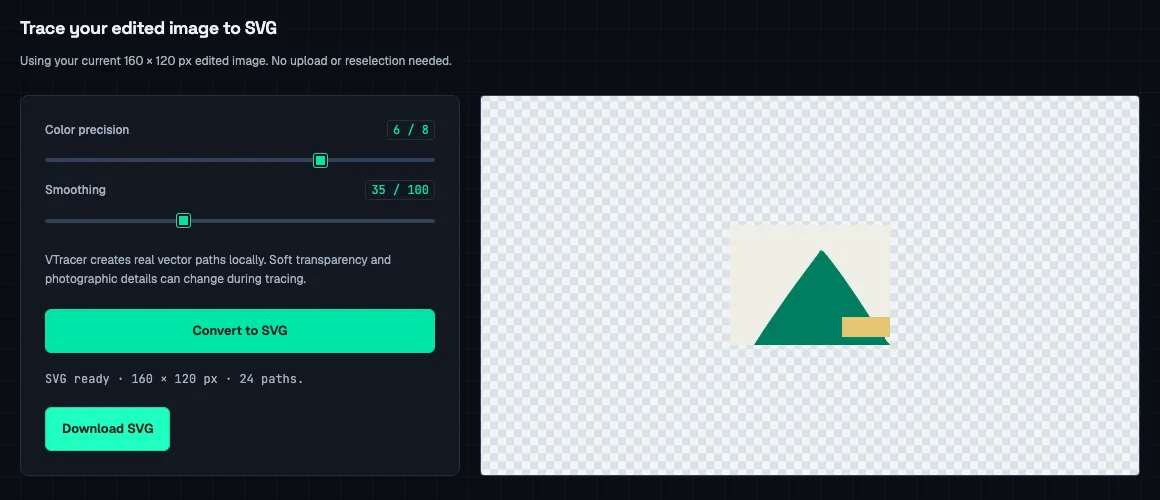
The browser editor supports a draggable crop or exact pixel coordinates, proportional or custom resizing, and PNG, JPEG or WebP export. An edited image can go directly to SVG tracing on the same page. Color detail and curve smoothing controls, an original-versus-SVG comparison and preview zoom help you inspect the result.
Local processing, free access
Image editing and vector tracing run on the user's device. Files are not uploaded to a conversion server. The tools need no account, add no watermark and have no daily conversion quota. The converter uses VTracer WebAssembly tracing; it can prepare artwork made with image generators, but does not generate images itself.
The site also publishes independent Crafting Apps guides, including source-based GetArtCraft and WordCraft information with official download links.